<?xml version="1.0" encoding="utf-8"?><feed xmlns="http://www.w3.org/2005/Atom" ><generator uri="https://jekyllrb.com/" version="3.10.0">Jekyll</generator><link href="/feed.xml" rel="self" type="application/atom+xml" /><link href="/" rel="alternate" type="text/html" /><updated>2026-05-13T17:36:04+00:00</updated><id>/feed.xml</id><title type="html">Chris Rios</title><subtitle>Official Blog of Chris Rios</subtitle><entry><title type="html">WSL on Mac</title><link href="/2026/04/30/WSL-On-Mac.html" rel="alternate" type="text/html" title="WSL on Mac" /><published>2026-04-30T00:00:00+00:00</published><updated>2026-04-30T00:00:00+00:00</updated><id>/2026/04/30/WSL-On-Mac</id><content type="html" xml:base="/2026/04/30/WSL-On-Mac.html"><![CDATA[<p><img src="/assets/images/2026-04-30/1.png" alt="Fedora Linux on MacOS via OrbStack" />
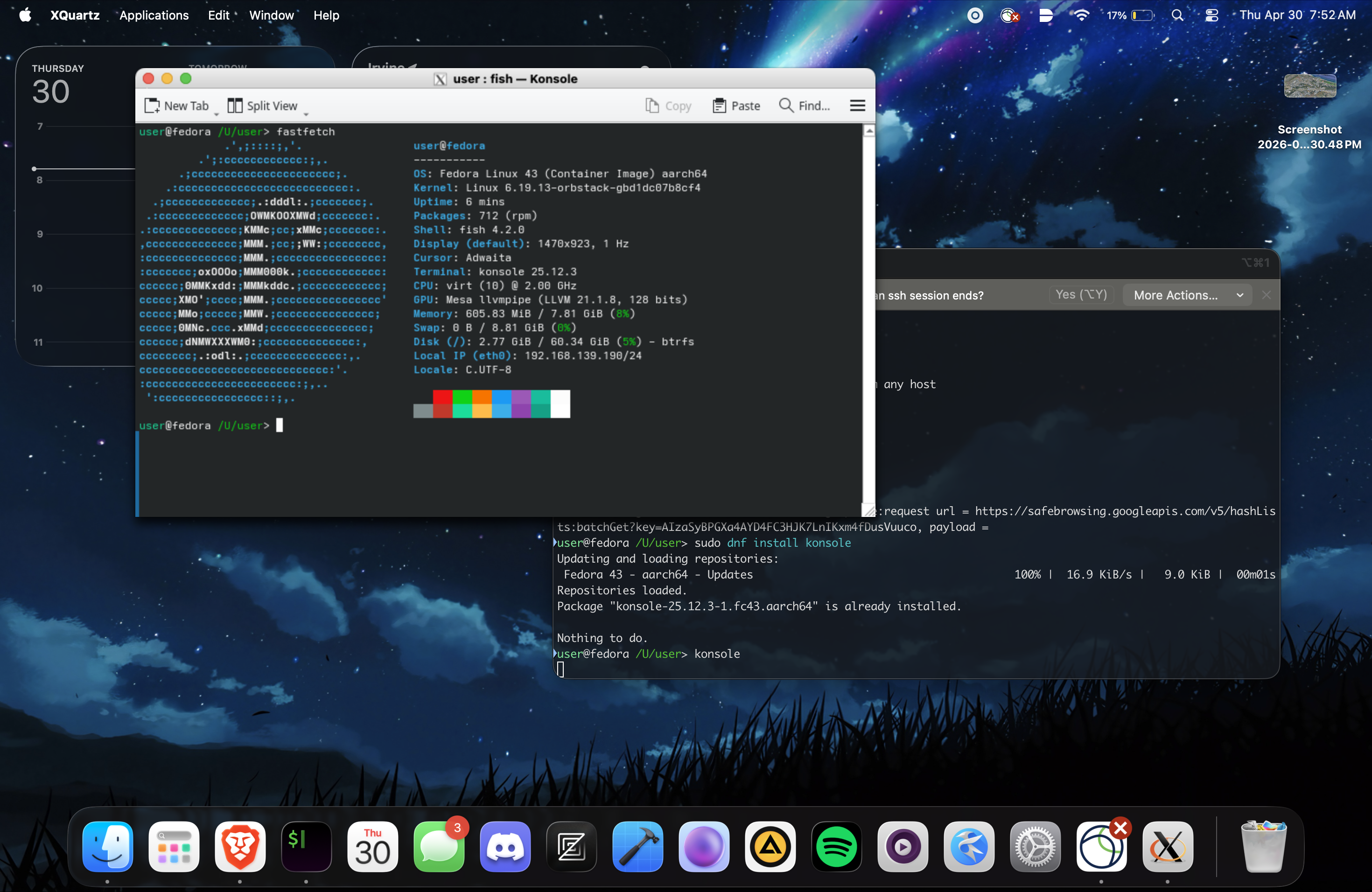
At some point in our lives, we must have all felt a little homesick in some way. Like if we’ve been away in another country for a while. But for me, my homesickness comes from not always having Linux at my fingertips. That’s because I primarily use a Macbook outside my dorm. And while Docker Desktop exists, it does not provide a complete experience like WSL. But now I can alleviate that by using OrbStack to run Linux on my Macbook, which I learned about from an <a href="https://alugatuci.org/">ALUG@UCI</a> member.</p>

<p>It provides a lightweight Linux platform on MacOS with support for Docker and virtualization. But with some tinkering, I discovered that you can mimic the WSL experience on MacOS with OrbStack combined with XQuartz.</p>

<h2 id="setting-up-orbstack-and-xquartz-for-wsl-like-experience">Setting up OrbStack and XQuartz for WSL-like experience</h2>
<p>As with everything, the first step is to install the required applications: <a href="https://orbstack.dev/">OrbStack</a> and <a href="https://www.xquartz.org/">XQuartz</a> on your Mac. Once that’s done, follow these steps:</p>

<h3 id="setting-up-xquartz">Setting up XQuartz</h3>
<ol>
  <li>Open XQuartz</li>
  <li>Go to <code class="language-plaintext highlighter-rouge">XQuartz</code> &gt; <code class="language-plaintext highlighter-rouge">Preferences</code></li>
  <li>Click the <code class="language-plaintext highlighter-rouge">Security</code> tab</li>
  <li>Check <code class="language-plaintext highlighter-rouge">Allow connections from network clients</code></li>
  <li>Click <code class="language-plaintext highlighter-rouge">OK</code></li>
  <li>In the Terminal, enter <code class="language-plaintext highlighter-rouge">xhost +</code> to allow connections from any host (this will need to be done on each startup)</li>
</ol>

<p>Once you’ve set up XQuartz, you can proceed with setting up OrbStack.</p>

<h3 id="setting-up-orbstack">Setting up OrbStack</h3>
<ol>
  <li>Open the OrbStack app</li>
  <li>Click <code class="language-plaintext highlighter-rouge">Machines</code> on the left sidebar</li>
  <li>Click the <code class="language-plaintext highlighter-rouge">+</code> button to create a new machine</li>
  <li>Choose a distribution (e.g. Fedora) and click <code class="language-plaintext highlighter-rouge">Create</code></li>
  <li>Open the terminal and run <code class="language-plaintext highlighter-rouge">orb shell</code> to start the machine</li>
  <li>Set the <code class="language-plaintext highlighter-rouge">DISPLAY</code> environment variable to <code class="language-plaintext highlighter-rouge">host.orb.internal:0</code> in the Linux terminal</li>
  <li>Install an application to test the display (e.g. <code class="language-plaintext highlighter-rouge">sudo dnf install firefox</code>)</li>
  <li>Run the application command (e.g. <code class="language-plaintext highlighter-rouge">firefox</code>) to launch the application</li>
  <li>You should see the application window appear on your Mac screen</li>
</ol>

<h2 id="notes">Notes</h2>
<ul>
  <li>For Flatpak applications, you must run <code class="language-plaintext highlighter-rouge">flatpak override --user --share=network --socket=x11</code> for X11 forwarding to work properly</li>
  <li>Ubuntu, for some reason, takes awhile to do X11 forwarding. So I recommend Fedora or another distribution for faster results.</li>
  <li>Snap applications do not appear to support X11 forwarding out of the box. I have not done any troubleshooting with them, but they may require additional configuration to work properly.</li>
</ul>

<p>So if you’ve ever wanted an intimate Linux experience on your Mac, OrbStack combined with XQuartz is a great solution. Because having a full-fledged Linux environment is much more enticing than a Docker container, which I was using before and had frustrations with.</p>]]></content><author><name></name></author><summary type="html"><![CDATA[At some point in our lives, we must have all felt a little homesick in some way. Like if we’ve been away in another country for a while. But for me, my homesickness comes from not always having Linux at my fingertips. That’s because I primarily use a Macbook outside my dorm. And while Docker Desktop exists, it does not provide a complete experience like WSL. But now I can alleviate that by using OrbStack to run Linux on my Macbook, which I learned about from an ALUG@UCI member.]]></summary></entry><entry><title type="html">Building Remote Containers For ALUG@UCI</title><link href="/2026/04/16/Building-Remote-Containers-For-ALUG@UCI.html" rel="alternate" type="text/html" title="Building Remote Containers For ALUG@UCI" /><published>2026-04-16T00:00:00+00:00</published><updated>2026-04-16T00:00:00+00:00</updated><id>/2026/04/16/Building-Remote-Containers-For-ALUG@UCI</id><content type="html" xml:base="/2026/04/16/Building-Remote-Containers-For-ALUG@UCI.html"><![CDATA[<p>Since my admission to UC Irvine on May 17th, 2025, I had a renewed resolve in doing meaningful work. The thing is, I didn’t really know where to start. I found it when I discovered that UC Irvine didn’t have a Linux user group like other universities I was considering up to my admission. So I worked on founding the <a href="https://alugatuci.org">Anteater Linux User Group at UCI (ALUG@UCI)</a>. I spent around five months on making it an official organization, and it was worth the time and effort.
Within the first four months of ALUG@UCI, we’ve seen a growing community of enthusiastic Linux users that are passionate and welcoming to each other.</p>

<p>And as we continue to grow, I have been investing in furthering our club’s mission. And my first step in this is starting a community-oriented service hosting project. This is what I call <a href="https://github.com/ALUGatUCI/alugvps-server">ALUG@UCI Community VPS Services</a>, a cloud container provisioning service that allows users to deploy and manage servers remotely.</p>

<h2 id="the-development-process">The Development Process</h2>
<p>I started working on ALUG@UCI Community VPS Services in January 2026. I choose to use Python for the backend, and Javascript for the frontend. This is because these languages are considered the ‘entry’ languages; it makes contributions to the project easier for people of all skill levels. It may not be as fast or efficient as other languages, but I believe it’s the right choice for a project like this.</p>

<p>For containers, I chose to use <a href="https://canonical.com/lxd">LXD</a> because it provides an efficient way of running and managing containers. It’s lightweight, secure, and easy to use, which fits the goals of this project.</p>

<p>For the backend, I chose to use <a href="https://fastapi.tiangolo.com/">FastAPI</a> because it’s a fast, yet easy-to-use web framework that supports all the needs of this project, such as asynchronous request handling and dependency injection. We use PyJWT for JWT-based authentication and aiosmtp for sending emails. For managing containers, we used PyLXD, a Python interface for LXD.</p>

<p>For the frontend, I chose to use Javascript because while it may be ‘primitive’ in the scope of modern web development, it’s a language most web developers are familiar with, and with a relatively simple frontend, using TypeScript or React is not urgent.</p>

<h2 id="challenges">Challenges</h2>
<p>One of the primary challenges I faced was handling PyLXD operations asynchronously. Since PyLXD uses blocking I/O, I had to find a way to make it work with FastAPI’s asynchronous request handling. This involved using asyncio and a custom executor to run PyLXD operations in the background.</p>

<p>Otherwise, most of the challenges I faced were not related to the technology stack itself, but rather to the nature of the project. This is perhaps the biggest project I’ve ever worked on. With around 2,180 lines of code, the project was time-consuming and challenging, especially when dealing with outside circumstances, such as school. Nonetheless, I dedicated as much time as I could and have reached a minimal viable product within four months.</p>

<p>But the most frustrating challenge I faced was getting IPv4 addresses to work for the containers I was creating. On my personal VPS, IPv4 address assignment worked fine, but when using the server UCI ICS lended us, this did not work. It took around a week for us to figure out the problem, but it is perhaps the biggest hurdle I’ve ever faced in a project.</p>

<h2 id="what-i-aim-to-do">What I Aim To Do</h2>
<p>I am planning to host a beta on UCI ICS infrastructure that will allow our members to host services open to all UCI students. Despite there still being room for improvements to be made, such as optimizing the FastAPI backend and improving the frontend dashboard, I am committed to delivering a functional product that meets our members’ needs.</p>

<p>And as with all resources in the universe, we have a finite amount of resources to allocate; this means we won’t be able to provide containers to everyone. But I am hoping that if this endeavor takes off, we can expand our reach and provide more containers to UCI students.</p>

<p>However it ends though, I believe I will have at least provided a platform for UCI students to host their own services.</p>]]></content><author><name></name></author><summary type="html"><![CDATA[Since my admission to UC Irvine on May 17th, 2025, I had a renewed resolve in doing meaningful work. The thing is, I didn’t really know where to start. I found it when I discovered that UC Irvine didn’t have a Linux user group like other universities I was considering up to my admission. So I worked on founding the Anteater Linux User Group at UCI (ALUG@UCI). I spent around five months on making it an official organization, and it was worth the time and effort. Within the first four months of ALUG@UCI, we’ve seen a growing community of enthusiastic Linux users that are passionate and welcoming to each other.]]></summary></entry><entry><title type="html">My Love-Hate Relationship With Mac</title><link href="/2026/03/26/The-Guilty-Pleasure-of-Mac.html" rel="alternate" type="text/html" title="My Love-Hate Relationship With Mac" /><published>2026-03-26T00:00:00+00:00</published><updated>2026-03-26T00:00:00+00:00</updated><id>/2026/03/26/The-Guilty-Pleasure-of-Mac</id><content type="html" xml:base="/2026/03/26/The-Guilty-Pleasure-of-Mac.html"><![CDATA[<h1 id="prelude">Prelude</h1>

<p>I have been an avid Linux user since about October 2021, when I was a high school freshman. My transition to it was a combination of several factors: my gaming laptop running Windows 10 constantly running into the dreaded Blue Screen of Death (BSOD) and the Steam Deck (a Linux-powered gaming handheld) being announced. I was familiar with Linux before this, but the idea of switching to it didn’t cross my mind until I got a Raspberry Pi.</p>

<p>I bought a Raspberry Pi 4 starter at my local Best Buy for no reason other than to satisfy my desire for a new toy. It ran Raspberry Pi OS, which is Debian-based, and I learned various Linux commands and utilities. I even got a little experimental, tinkering to run Steam games like Portal 2. Of course, such software ran like molasses on it, but the learning experience alone was part of why I feel in love with Linux.</p>

<p>I continued (hardly) using my gaming laptop with Windows until I built my first PC around five months later. I ran Pop!_OS on it and used Linux exclusively until six months ago when I started dual-booting with Windows for Win32 software development, as well as for games that didn’t work on Linux.</p>

<p>Later on, I got a workstation laptop that has struggled to last through college lectures, so I needed a new laptop that could last me all day. Out of convience, I went to the UCI Bookstore, The Hill, to buy a MacBook Air. I mainly did it because it was convenient for me, and I fully expected to dread using a Mac. Two months using it has proven me wrong though, at least for the most part.</p>

<h1 id="why-i-love-using-mac">Why I Love Using Mac</h1>

<h2 id="i-value-a-system-that-just-works-over-everything">I Value a System That Just Works Over Everything</h2>

<p>I’d like to mention that part of the reason why I used Linux was out of the appeal of having full control over my system. So why am I using the antithesis to that idea?</p>

<p>Well, being frank, I haven’t taken much advantage of this idea on my workstation. Like it did come in handy from time to time, but otherwise I just used my Linux system as a regular desktop machine. MacOS, despite being more restrictive, is pleasant to use because everything ‘just works’. The moment I unboxed my MacBook Air, I just went through the setup process and got straight to installing my apps.</p>

<p>Linux (and Windows to some extent) often requires you to go out of your way to install software, such as drivers because the trade-off for mass hardware support is fragmentation. With MacOS, because it only supports a limited set of hardware, everything works like it was made for each other.</p>

<h2 id="because-its-unix-like-it-feels-almost-like-home">Because It’s Unix-like, It Feels (Almost) Like Home</h2>

<p>The one commonality between MacOS and Linux is they are both Unix-like. When I first used the terminal on MacOS, almost all commands I knew from Linux were usable. So unlike Windows, which tries to reinvent the wheel, I found home with Mac.</p>

<p>Even the system directories were somewhat similar with common Unix directories like <code class="language-plaintext highlighter-rouge">/bin</code> and <code class="language-plaintext highlighter-rouge">/usr</code>, but they do have differences; <code class="language-plaintext highlighter-rouge">/home</code> on Linux would be <code class="language-plaintext highlighter-rouge">/Users</code> on MacOS for instance. Nonetheless, the only thing I needed to do to remember the differences was mental compartmentalization.</p>

<h2 id="application-installation-is-neat">Application Installation Is Neat</h2>

<p>I think the <code class="language-plaintext highlighter-rouge">.dmg</code> format is perhaps the best application installation method I’ve used in years. Nothing is more convenient than opening the file, dragging the app to your <code class="language-plaintext highlighter-rouge">Applications</code> folder, and having it sitting in your apps available to be launched at any time. I wish other operating systems like Linux would implement similar methods as it would improve the Application installation experience.</p>

<h2 id="the-hardware-quality-is-just-nice">The Hardware Quality is Just Nice</h2>

<p>From the very moment I started typing and using the trackpad, it felt extremely comfortable to use. My workstation’s primary discomfort was the trackpad, which was why I always carried a bluetooth mouse with me. But the MacBook Air’s trackpad feels hardly like a chore to use.</p>

<p>The lack of fans is also extremely comforting as I do not have to worry about attracting looks in a public area whenever I do an intensive task.</p>

<h1 id="why-i-hate-using-mac">Why I Hate Using Mac</h1>

<h2 id="restrictive-system-access">Restrictive System Access</h2>

<p>One of the very things I despise about Apple is their closed and restrictive approach to the user experience. Such as limiting your ability to manage the system on a deeper level. I may sound like I’m contradicting myself, but the ability to do such when needed is still a nice touch.</p>

<h2 id="app-distribution-is-scary">App Distribution is Scary</h2>

<p>One of my main main resentments come from how MacOS uses scare tactics on apps that are not ‘notarized’. And even if you ignore them, you need to make an additional several clicks in Settings to be allowed to open such software. On Linux at least, nobody ever tried scaring you into not running a program because it didn’t get reviewed by a central authority. This was perfect for a hobbyist programmer like me who writes software and shares them online.</p>

<p>To get your program ‘notarized’, you have to pay $99 a year to be part of the Apple Developer Program, which I personally do not find to be worth the cost. This means because I can’t get Apple to review my program, anytime I distribute my MacOS software to anyone, they need to endure popups employing scare tactics to even run them!</p>

<h2 id="unless-you-pay-youre-missing-out-on-quite-a-bit">Unless You Pay, You’re Missing Out On Quite A Bit</h2>

<p>One of my biggest frustrations, especially as a developer, is how Apple restricts you from using certain functionality in your programs, unless you enroll in the same aforementioned program. For instance, I was experimenting with Apple’s Virtualization Framework in Swift and I tried to using NAT networking in the program. I was not allowed to do so because Apple did not grant me the ‘entitlement’ to do so. And to get it, I would have to pay $99 a year and request explicit permission from Apple. Even when I forced my program to compile with the entitlement, MacOS didn’t even run it! It was just immediately SIGKILLed by the system.</p>

<h1 id="my-overall-sentiment">My Overall Sentiment</h1>

<p>MacOS is a pretty Unix-like system that makes you hardly think of what’s going on underneath. You could be doing just about anything on it without giving the system you’re using a second thought. But when a power user like me really needs to get their hands dirty, the limitations of MacOS start to shine bright.</p>

<p>MacOS alone might still be worth getting a Mac for, especially if you value a comprehensive system that feels well put-together. I have come to appreciate these aspects of MacOS, but I do recognize the shortcomings when it comes to some of my needs.</p>]]></content><author><name></name></author><summary type="html"><![CDATA[Prelude]]></summary></entry><entry><title type="html">Earning my Certificate in Software Engineering From IBM</title><link href="/2026/03/24/Intro-To-Software-Engineering.html" rel="alternate" type="text/html" title="Earning my Certificate in Software Engineering From IBM" /><published>2026-03-24T00:00:00+00:00</published><updated>2026-03-24T00:00:00+00:00</updated><id>/2026/03/24/Intro-To-Software-Engineering</id><content type="html" xml:base="/2026/03/24/Intro-To-Software-Engineering.html"><![CDATA[<p><img src="/assets/images/2026-03-24/Certificate.png" alt="Certificate" /></p>

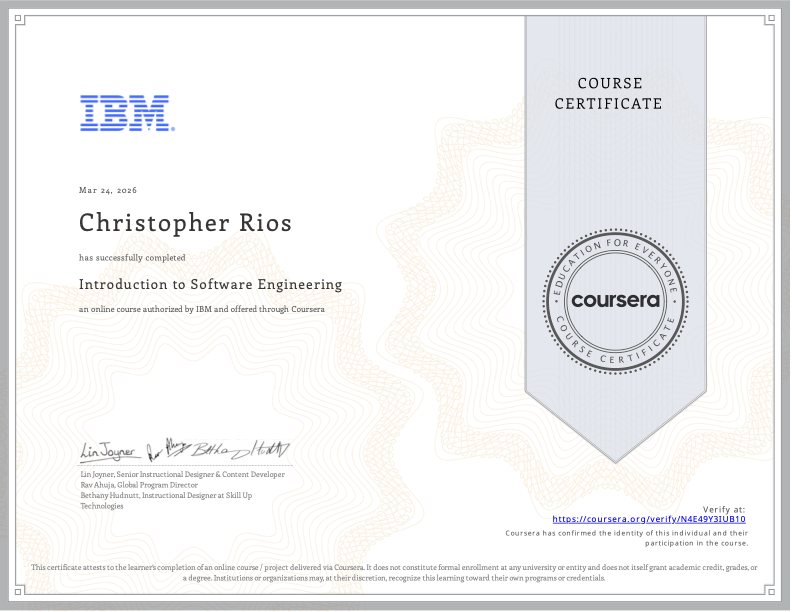
<p>Recently, I’ve been doing a <a href="https://www.coursera.org/professional-certificates/ibm-full-stack-cloud-developer">course specialization with IBM on full-stack software development</a>. And I am glad to report that on March 24, 2026, I have <a href="https://www.coursera.org/account/accomplishments/certificate/N4E49Y3IUB10">completed</a> the first part of the specialization, <a href="https://www.coursera.org/learn/introduction-to-software-engineering">Introduction to Software Engineering</a>.</p>

<p>I have learned many valuable lessons about how to develop and design software from this course alone, from architecting a program’s design to the various paths a software engineer can take. My hope is that my newfound knowledge can be applied to current and future projects that I work on!</p>]]></content><author><name></name></author><summary type="html"><![CDATA[]]></summary></entry><entry><title type="html">My Return to Visual Studio Code from JetBrains</title><link href="/2026/03/15/Returning-To-VSCode-From-Jetbrains.html" rel="alternate" type="text/html" title="My Return to Visual Studio Code from JetBrains" /><published>2026-03-15T00:00:00+00:00</published><updated>2026-03-15T00:00:00+00:00</updated><id>/2026/03/15/Returning-To-VSCode-From-Jetbrains</id><content type="html" xml:base="/2026/03/15/Returning-To-VSCode-From-Jetbrains.html"><![CDATA[<p><img src="/assets/images/2026-03-15/VSCode_Blog_Writing.png" alt="1" />
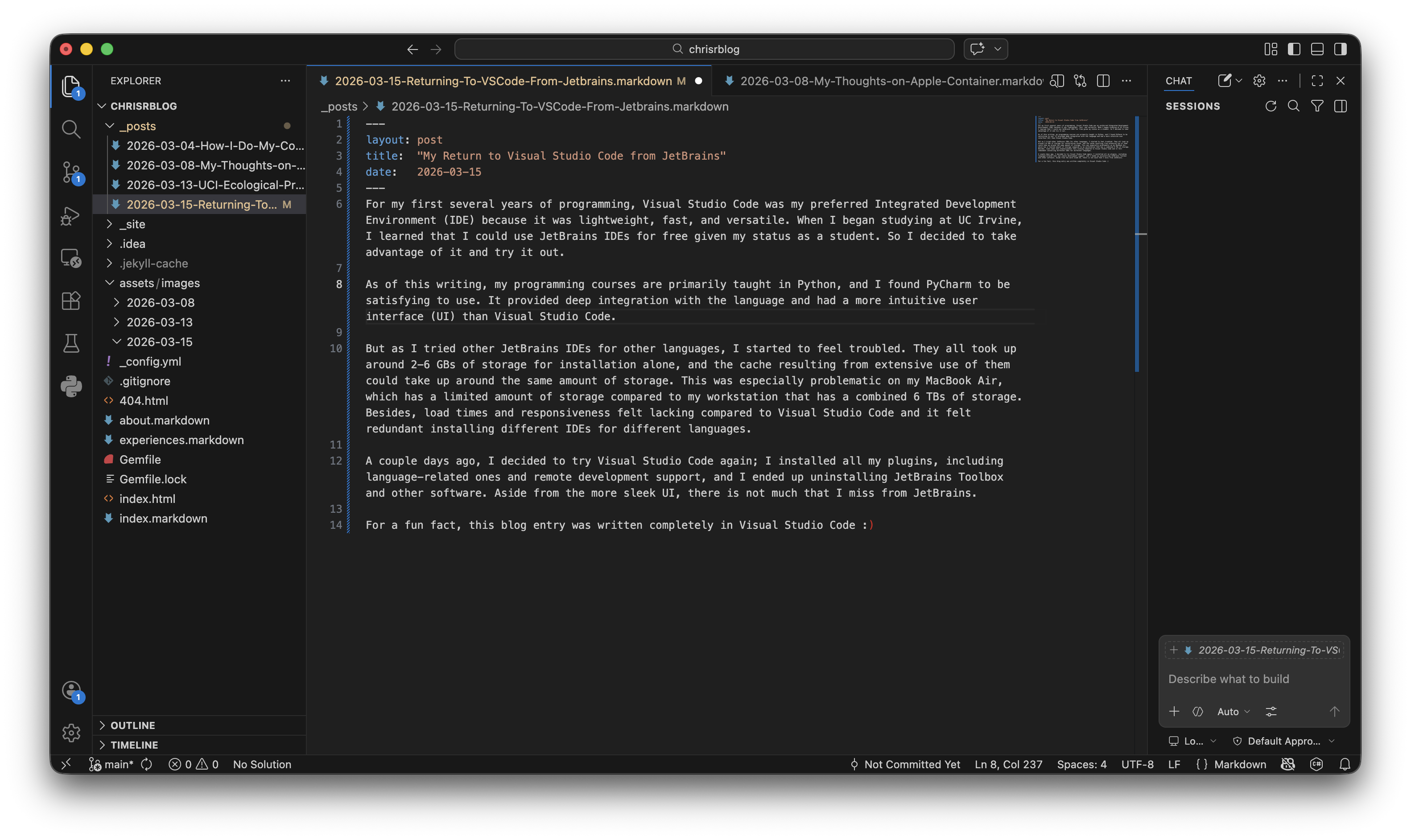
For my first several years of programming, Visual Studio Code was my preferred integrated development environment (IDE) because it was lightweight, fast, and versatile. When I began studying at UC Irvine, I learned that I could use JetBrains IDEs for free given my status as a student. So I decided to take advantage of it and try it out.</p>

<p>As of this writing, my programming courses are primarily taught in Python, and I found PyCharm to be satisfying to use. It provided deep integration with the language and had a more intuitive user interface (UI) than Visual Studio Code.</p>

<p>But as I tried other JetBrains IDEs for other languages, I started to feel troubled. They all took up around 2-6 GBs of storage for installation alone, and the cache resulting from extensive use of them could take up around the same amount of storage. This was especially problematic on my MacBook Air, which has a limited amount of storage compared to my workstation that has a combined 6 TBs of storage. Besides, load times and responsiveness felt lacking compared to Visual Studio Code and it felt redundant installing different IDEs for different languages.</p>

<p>A couple days ago, I decided to try Visual Studio Code again; I installed all my plugins, including language-related ones and remote development support, and I ended up uninstalling JetBrains Toolbox and other software. Aside from the more sleek UI, there is not much that I miss from JetBrains.</p>

<p>For a fun fact, this blog entry was written completely in Visual Studio Code :)</p>]]></content><author><name></name></author><summary type="html"><![CDATA[For my first several years of programming, Visual Studio Code was my preferred integrated development environment (IDE) because it was lightweight, fast, and versatile. When I began studying at UC Irvine, I learned that I could use JetBrains IDEs for free given my status as a student. So I decided to take advantage of it and try it out.]]></summary></entry><entry><title type="html">Hiking the UCI Ecological Preserve</title><link href="/2026/03/13/UCI-Ecological-Preserve.html" rel="alternate" type="text/html" title="Hiking the UCI Ecological Preserve" /><published>2026-03-13T00:00:00+00:00</published><updated>2026-03-13T00:00:00+00:00</updated><id>/2026/03/13/UCI-Ecological-Preserve</id><content type="html" xml:base="/2026/03/13/UCI-Ecological-Preserve.html"><![CDATA[<p>As a UCI student, a common complaint I hear is that there isn’t much to do on campus. While I do agree with it, I do believe there are things to do provided that you look enough. That thought led me to hike at the UCI Ecological Preserve today. From the hilly residential areas to the distant buildings in Irvine, I enjoyed the breathtaking views from above and came to this conclusion: the world is more vast than it may seem.</p>

<p>Here are the photos I took during my hike:
<img src="/assets/images/2026-03-13/1.jpg" alt="1" />
<img src="/assets/images/2026-03-13/2.jpg" alt="2" />
<img src="/assets/images/2026-03-13/3.jpg" alt="3" />
<img src="/assets/images/2026-03-13/4.jpg" alt="4" />
<img src="/assets/images/2026-03-13/5.jpg" alt="5" />
<img src="/assets/images/2026-03-13/6.jpg" alt="6" /></p>]]></content><author><name></name></author><summary type="html"><![CDATA[As a UCI student, a common complaint I hear is that there isn’t much to do on campus. While I do agree with it, I do believe there are things to do provided that you look enough. That thought led me to hike at the UCI Ecological Preserve today. From the hilly residential areas to the distant buildings in Irvine, I enjoyed the breathtaking views from above and came to this conclusion: the world is more vast than it may seem.]]></summary></entry><entry><title type="html">My Thoughts on Apple’s Container</title><link href="/2026/03/08/My-Thoughts-on-Apple-Container.html" rel="alternate" type="text/html" title="My Thoughts on Apple’s Container" /><published>2026-03-08T00:00:00+00:00</published><updated>2026-03-08T00:00:00+00:00</updated><id>/2026/03/08/My-Thoughts-on-Apple-Container</id><content type="html" xml:base="/2026/03/08/My-Thoughts-on-Apple-Container.html"><![CDATA[<p>These days, I use my Macbook Air more than anything as I am a college student that’s constantly outside. The only time I get to use Linux (and Windows) is when I’m back in my dorm.</p>

<p>Developing for Windows on MacOS isn’t a huge issue for me; through tools like <a href="https://www.winehq.org/">Wine</a> and <a href="https://www.mingw-w64.org/">mingw-w64</a>, I can always compile and test my software for Windows. The same thing can’t be said for Linux though. I’ve struggled with running cross-compilers for Linux on MacOS, meaning I would have to wait until I got back to my dorm every night. That is until recently…</p>

<p>I discovered Apple’s open-source Docker alternative, <a href="https://opensource.apple.com/projects/container/">Container</a>, which runs lightweight Linux containers on MacOS. It feels somewhat like <a href="https://learn.microsoft.com/en-us/windows/wsl/about">Windows Subsystem for Linux (WSL)</a>, which I have experimented with before on my workstation’s Windows partition. Nonetheless, I still use and prefer a Linux install out of principle; I prefer an operating system that gives me as much control as possible.</p>

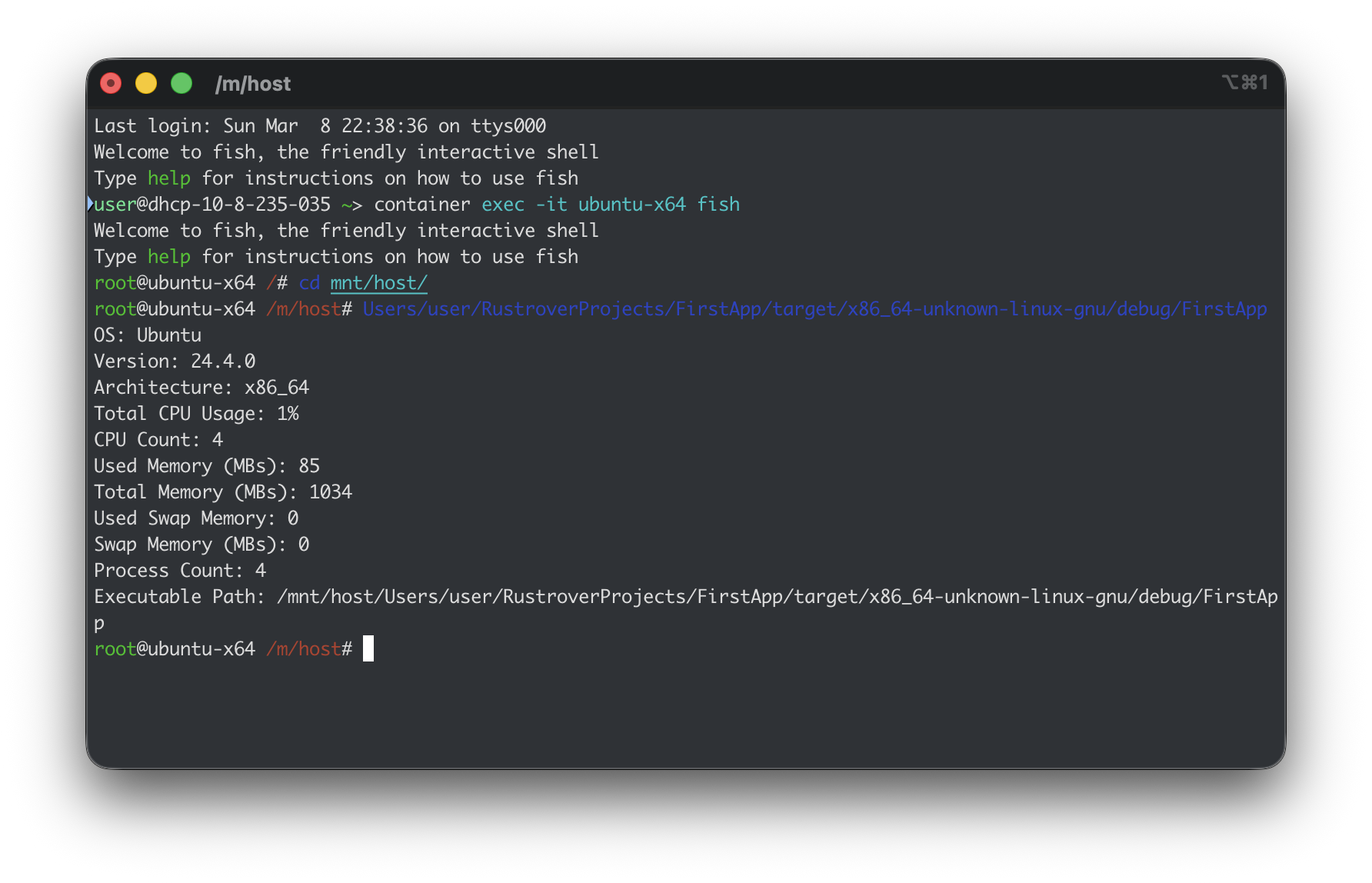
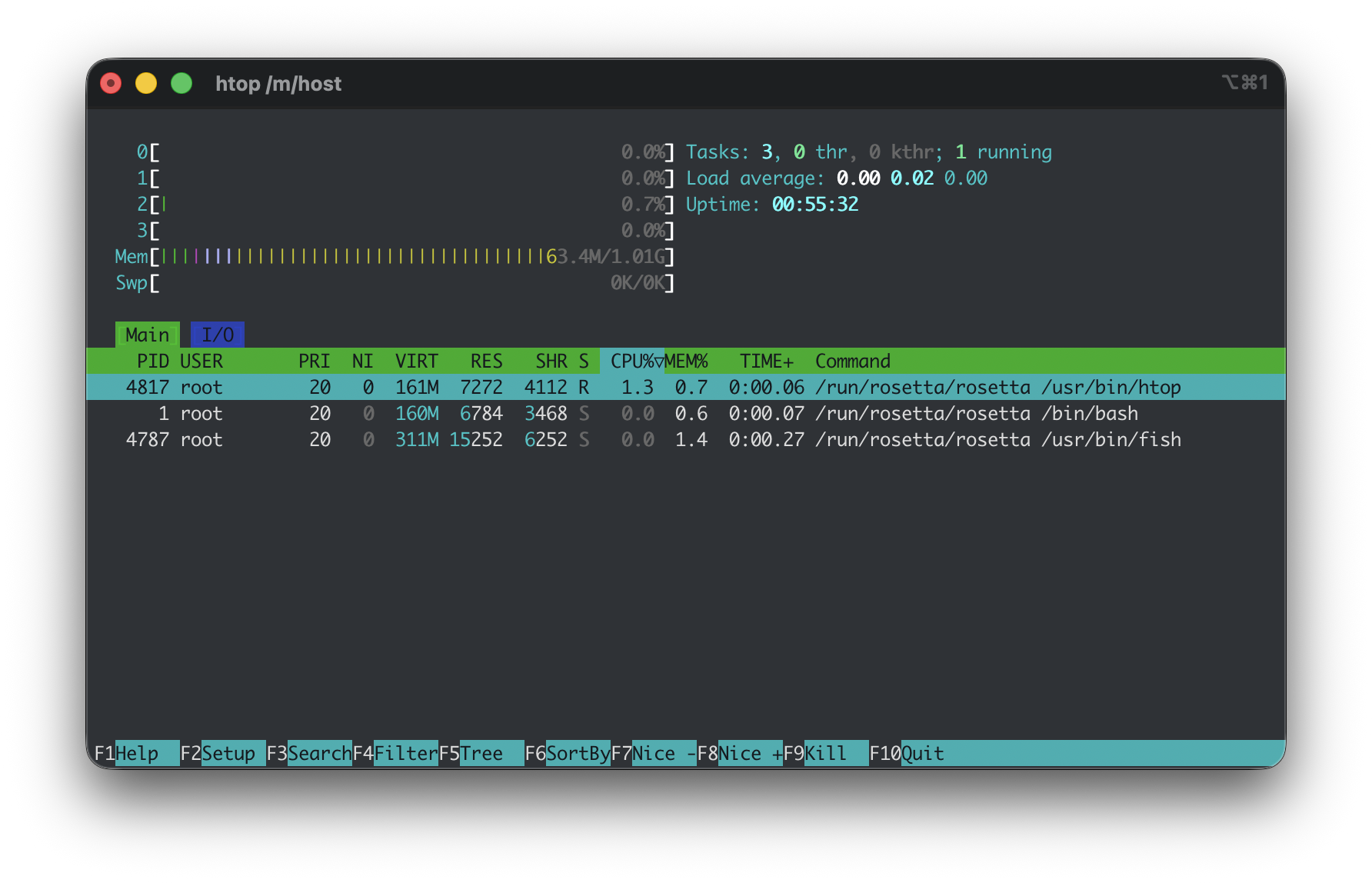
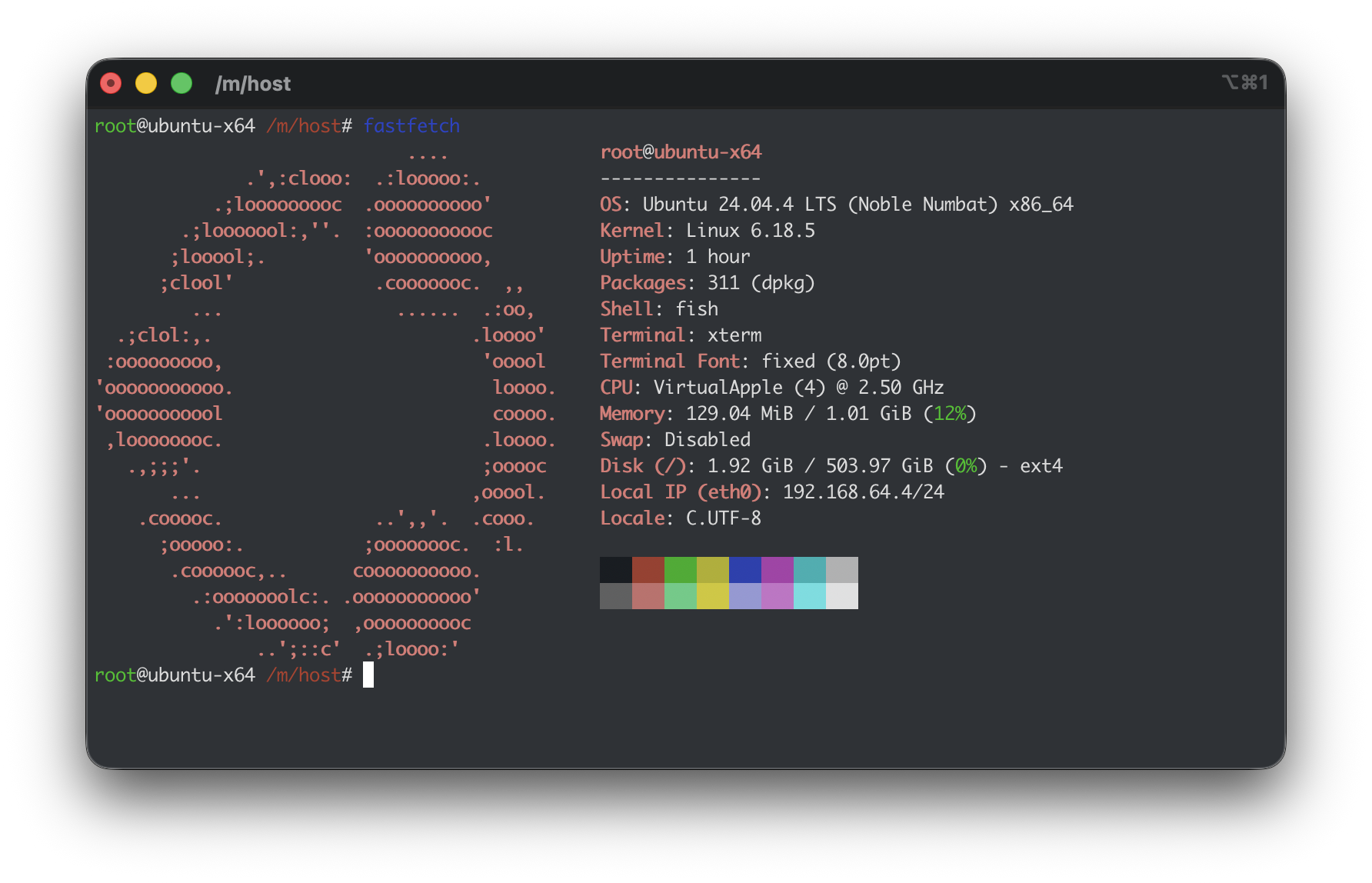
<p>Ever since I began using it a few weeks ago, I have found the experience of being able to run Linux on my Mac to be satisfying. Even if it’s not as intimate as using an actual Linux install, I still enjoy the ability to compile software for it and run basic utilities that I miss on my Mac. I have tried virtual machines that I use SSH on, but I found several inconveniences with them: they take up a considerable amount of storage and the inconsistent NAT addresses meant the SSH address was never the same. With Container, I don’t have to worry about either of those, while enjoying the closest-to-home Linux experience on Mac. Here’s a few screenshots I took using an x86_64 Ubuntu container:</p>

<p>My Rust program that reports system information:
<img src="/assets/images/2026-03-08/1.png" alt="Sample Rust App" />
Running htop in the container:
<img src="/assets/images/2026-03-08/2.png" alt="htop" />
Mandatory fastfetch :)
<img src="/assets/images/2026-03-08/3.png" alt="Fastfetch" /></p>]]></content><author><name></name></author><summary type="html"><![CDATA[These days, I use my Macbook Air more than anything as I am a college student that’s constantly outside. The only time I get to use Linux (and Windows) is when I’m back in my dorm.]]></summary></entry><entry><title type="html">How I Do My Computing</title><link href="/2026/03/04/How-I-Do-My-Computing.html" rel="alternate" type="text/html" title="How I Do My Computing" /><published>2026-03-04T00:00:00+00:00</published><updated>2026-03-04T00:00:00+00:00</updated><id>/2026/03/04/How-I-Do-My-Computing</id><content type="html" xml:base="/2026/03/04/How-I-Do-My-Computing.html"><![CDATA[<p>In my first blog post, I thought I’d quickly write about how
I do my computing.</p>

<h2 id="hardware-setups">Hardware Setups</h2>

<p>I have two primary setups:</p>

<ul>
  <li>System76 Adder WS with an RTX 4060</li>
  <li>MacBook Air M4</li>
</ul>

<h3 id="system76-adder-ws">System76 Adder WS</h3>
<p>This is my primary workstation when I’m at my dorm or at home.
I run it in a dual-boot setup: CachyOS and Windows 11. I primarily
use the former, but I use the latter when I want to do Windows development
or need to play specific games.</p>

<p>I went with System76 because I wanted to support Linux-focused OEMs and
while I did experience issues initially, I am pretty satisfied with the experience
of it. But the main thing holding it back from being my portable device (aside from
the bulkiness) is the battery life; it is inadequate for long outings. This influenced
my decision to get a MacBook Air, which I will get into.</p>

<h3 id="macbook-air-m4">MacBook Air M4</h3>
<p>Midway through my second quarter at UCI, I went to The Hill (the university’s bookstore)
to purchase a MacBook Air, primarily out of convenience, but also because I wanted to dip
my toes into Apple software development.</p>

<p>After about a month with it as of this writing, I am incredibly satisfied with it. I enjoy the lightweight,
portable, and high-quality design of the device. But most importantly, the battery life allows me to get into
lectures without having to worry about whether a charging port is nearby.</p>

<h2 id="primary-software">Primary Software</h2>
<p>I use a variety of software for different purposes. I’ll cover different categories of software and explain my reasons.</p>

<h3 id="browser">Browser</h3>
<p>I use Brave because I want a Chromium-based browser that is privacy-focused, which is a major concern for me in a world
where data is constantly collected.</p>

<h3 id="integrated-development-environments-ides">Integrated Development Environments (IDEs)</h3>
<p>I primarily use JetBrains IDEs like PyCharm, Rider, and WebStorm; I enjoy the convenience and the out-of-the-box experience
they provide.</p>

<p>I use Xcode on my MacBook Air for Swift development as it is the primary platform for such.</p>

<h3 id="media-players">Media Players</h3>
<p>My primary music player is AIMP as I like the variety of features and the modularity of it. On my MacOS and Linux setups, 
this app is what I use <a href="https://www.winehq.org/">Wine</a> primarily for.</p>

<p>When it comes to watching movies and videos, I use mpv; the minimalism compared to VLC makes me find it to be more responsive
and performant.</p>

<h3 id="compilers">Compilers</h3>
<p>I use GCC when compiling applications for Linux and MacOS, but I prefer to use MSVC when compiling for Windows. I do use mingw-w64
on MacOS to compile for Windows if I do not have immediate access to my primary workstation.</p>

<h3 id="package-managers">Package Managers</h3>
<p>On my CachyOS installation on my primary workstation, I use pacman and paru (an <a href="https://aur.archlinux.org/">Arch User Repository (AUR)</a> helper)
as it’s what Arch Linux, the base of CachyOS, uses. I occasionally use Flatpak for apps that are distributed exclusively in that format. On my
Windows partition, I like use WinGet as it’s the primary package manager on Windows.</p>

<p>The same can be said for Homebrew on my MacBook; it provides that Linux-esque method of installing and updating
packages on MacOS.</p>

<h2 id="closing-thoughts">Closing Thoughts</h2>
<p>As my first blog post, I think covering my technical lifestyle is a great start. In the future, I plan to write about various topics, from
mundane aspects of life to my personal achievements. Stay tuned!</p>]]></content><author><name></name></author><summary type="html"><![CDATA[In my first blog post, I thought I’d quickly write about how I do my computing.]]></summary></entry></feed>